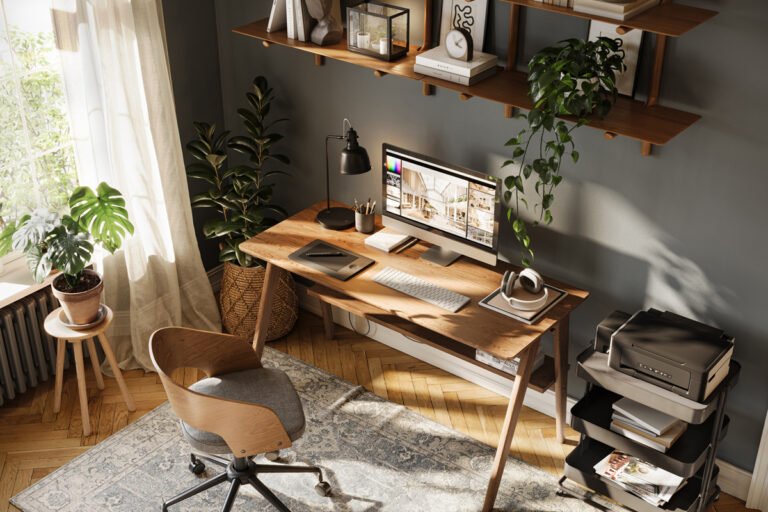
10 Years Remote: The Home Office Purchases I Actually Use Daily
This article may contain affiliate links. If you purchase through them, I may earn a small commission at no extra cost to you.
When I first started working remotely over a decade ago, my “office” was a small desk squeezed into the corner of a bedroom. It wasn’t curated. It wasn’t optimized. It definitely wasn’t ergonomic. It was simply where my laptop fit.
Since then, I’ve worked in hybrid roles, shared a converted family room with my equally remote-working spouse, tested different layouts, and replaced more “good idea at the time” purchases than I care to admit.
Remote work isn’t new to me. I’ve lived through its awkward phases, its upgrades, and its lessons.
Over the years, I’ve bought a lot of things for my workspace. Some were unnecessary. Some were trendy. And a handful became non-negotiable.
These are the home office purchases I actually use daily—the ones that earned their place.
1. A Chair That Supports Long Days (Not Just Short Meetings)

For years, I underestimated how much my chair mattered. I focused on aesthetics and price before comfort. That was a mistake.
The difference between a “good enough” chair and a truly supportive one shows up around hour four of your workday.
A proper ergonomic chair:
- Supports your lower back
- Encourages upright posture
- Adjusts to your body, not the other way around
After upgrading, I noticed less end-of-day fatigue and fewer small aches that I used to accept as normal. When you work from home long term, your chair isn’t optional—it’s foundational.
2. A Desk That Fits the Space (Not the Dream)
I’ve worked from:
- A compact writing desk
- A standing desk converter
- A full sit/stand desk
- A shared desk setup in a converted family room
The biggest lesson? Choose a desk that fits your actual space, not your ideal Pinterest board.
What matters most:
- Surface area that accommodates your daily tools
- Proper height alignment
- Enough depth for monitors without crowding
A well-fitted desk reduces visual clutter and physical strain. It doesn’t have to be massive, it just has to make sense for how you work.
3. A Laptop Stand (Small Upgrade, Big Difference)
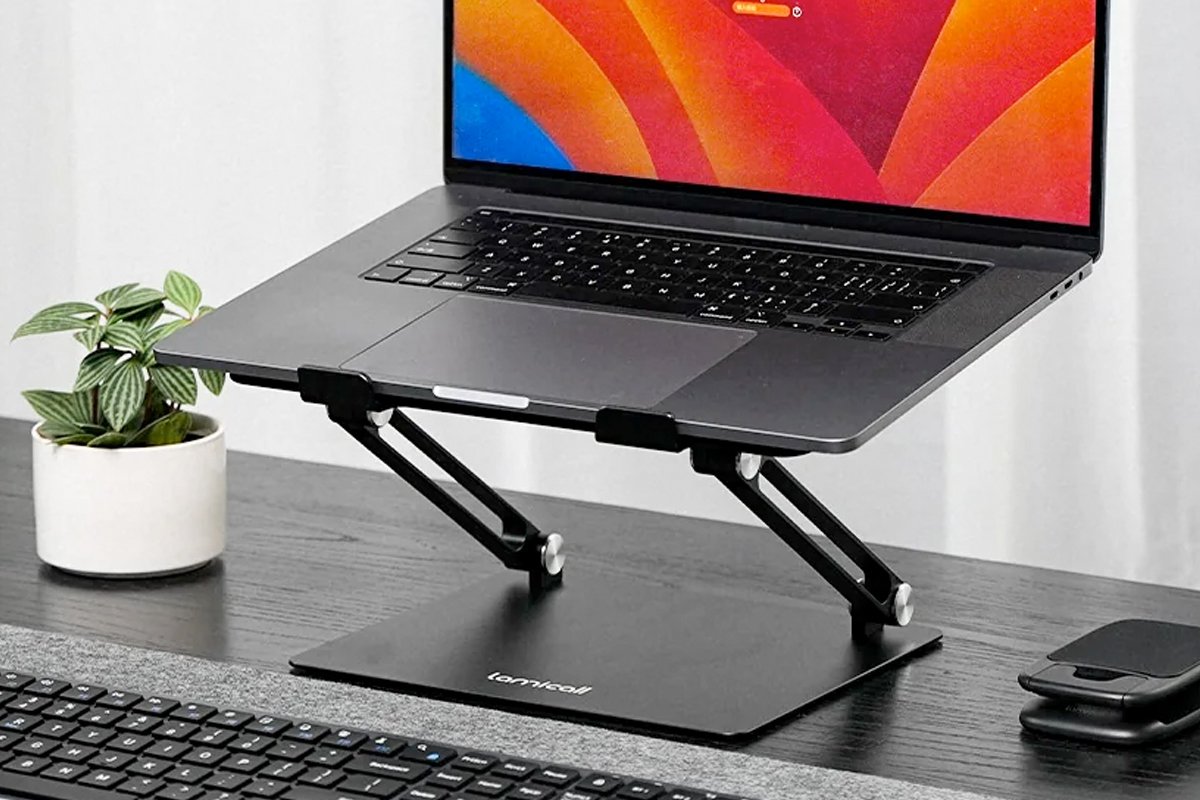
This is one of the simplest upgrades I recommend to almost everyone.
A laptop stand:
- Raises your screen to eye level
- Reduces neck strain
- Encourages better posture
It’s affordable, takes up minimal space, and instantly makes your setup feel intentional.
Paired with an external keyboard and mouse, it transforms a temporary setup into a real workspace.
4. A Comfortable External Keyboard & Mouse
For years, I used whatever keyboard came standard. Once I switched to a more ergonomic option, I understood why people care about these details.
- Reduces wrist strain
- Improves typing comfort
- Feels stable and responsive
The same goes for a well-designed mouse. These are tools you touch constantly. Comfort compounds over time.
Take a look at these external keyboard and mouse options for PC and Mac.
5. Proper Lighting (More Important Than I Realized)
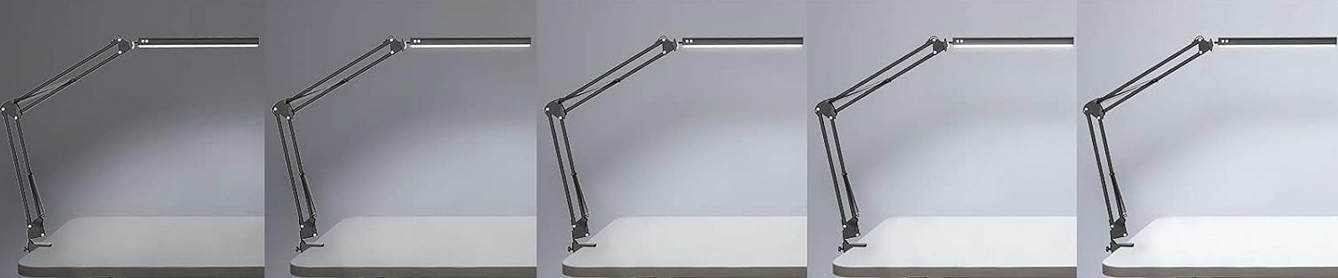
In my early remote years, I relied entirely on overhead lighting. It wasn’t flattering and it wasn’t ideal for focus.
Now, I use layered lighting:
- Desk lamp for task lighting (dimmable a plus!)
- Ambient lighting for warmth
- Natural light when possible
Good lighting reduces eye strain and subtly improves mood. It also makes video calls look significantly better.
It’s one of those upgrades that feels cosmetic until you experience the difference.
6. Noise Management Tools

Sharing space with a spouse who also works remotely means noise happens. And if you work from a home with young children, you’ve probably had your “quiet workday” interrupted by loud snack negotiations or someone yelling “Mom!” during your most important Zoom call.
Over time, I’ve come to rely on:
- Noise-canceling headphones
- Soft earplugs
- White noise options
These aren’t dramatic purchases, they’re practical ones.
They create boundaries in shared spaces and allow focus without tension. For me, they’ve been essential in maintaining productivity and calm.
7. Cable Management (Because Visual Clutter Is Mental Clutter)
This is one of the least glamorous but most satisfying upgrades.
Loose cords create:
- Visual noise
- Frustration
- A subtle feeling of chaos
A cable management box, clips, and under-desk organizers can clean up your line of sight and make your space feel finished.
When your workspace looks orderly, your brain feels less scattered.
8. A Simple Desk Organizer
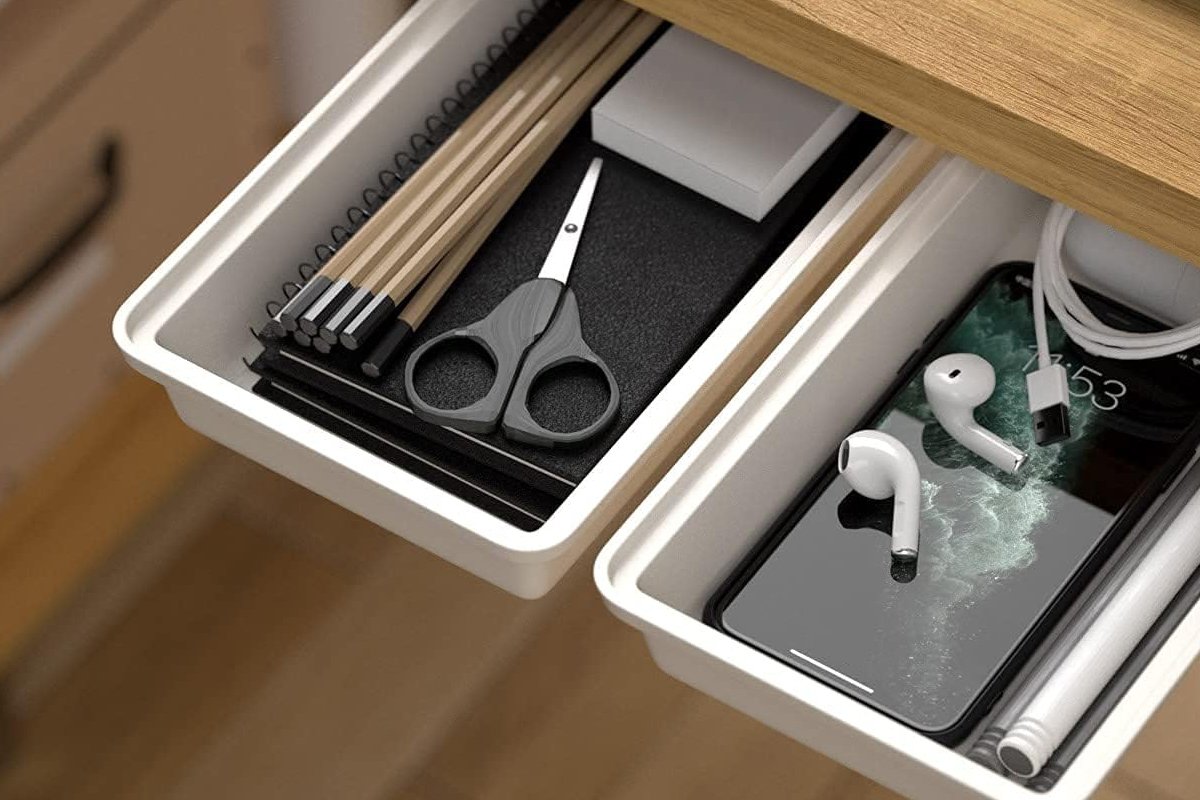
I don’t keep a lot on my desk, but what stays there needs structure.
An under desk organizer or minimal desktop tray keeps:
- Pens contained
- Small tools in place
- Paper from drifting
The goal isn’t perfection—it’s friction reduction.
When everything has a place, your brain stops tracking where it last saw your highlighter.
9. A Monitor (or Dual Monitor Setup)
Adding a full-sized monitor was one of the most productivity-enhancing upgrades I made.
It allows:
- Better multitasking
- Reduced window toggling
- Improved posture (when positioned correctly)
You don’t necessarily need dual monitors, but expanding beyond a single laptop screen makes a noticeable difference in workflow efficiency.
10. Small Comfort Items That Support Long Days

Over time, I’ve realized that comfort isn’t indulgent—it’s strategic.
Items like:
- A supportive footrest
- A soft lap blanket
- A subtle desk plant
- A quiet humidifier during dry months
- Your furry remote work counterpart
These small additions reduce physical tension and create an environment I actually enjoy sitting in for hours.
Remote work isn’t just about efficiency. It’s about sustainability.
The Real Lesson After 10 Years
If there’s one thing I’ve learned from more than a decade of remote and hybrid work, it’s this:
You don’t need everything. You need the right things.
It’s easy to get caught up in trends or aesthetic upgrades. I’ve done that too. But the purchases that endure are the ones that:
- Reduce physical strain
- Lower daily friction
- Support focus
- Fit the actual space
- Offer long-term value
As a digital marketing professional, I’m naturally drawn to design and usability. But design alone isn’t enough. I look for products that marry thoughtful design with real-world practicality.
Because a workspace shouldn’t just look good—it should work well.
If You’re Building or Upgrading Your Home Office
Start with the fundamentals:
- Chair
- Desk
- Screen height
- Lighting
Then layer in:
- Organization
- Focus tools
- Comfort details
Don’t feel pressured to overhaul everything at once. Some of my best upgrades happened slowly, one smart decision at a time.
Remote work isn’t temporary for many of us anymore. It’s how we live.
Your workspace deserves to support that.

Christine Shepherd is a remote and hybrid work veteran with over 14 years of experience building functional, design-forward home office spaces. As a digital marketing professional with a keen eye for usability and trends, she shares practical workspace solutions that balance comfort, productivity, and smart value.
View All Articles